
How to Use Your MONTKUSH Store CreditUpdated 9 months ago
If you’ve received store credit from MONTKUSH, here’s how to easily apply it to your next order.
🧾 Step 1: Log In to Your Account
Store credit is linked to your customer account.
Make sure you’re logged in before checking out, or you won’t see the store credit option.
Visit montkush.com/account.
Log in using the same email address where you received your store credit.
🛒 Step 2: Add Items to Your Cart
Browse our site and add your favorite products to your cart as usual.
When you’re ready, click Checkout.
💳 Step 3: Apply Your Store Credit at Checkout
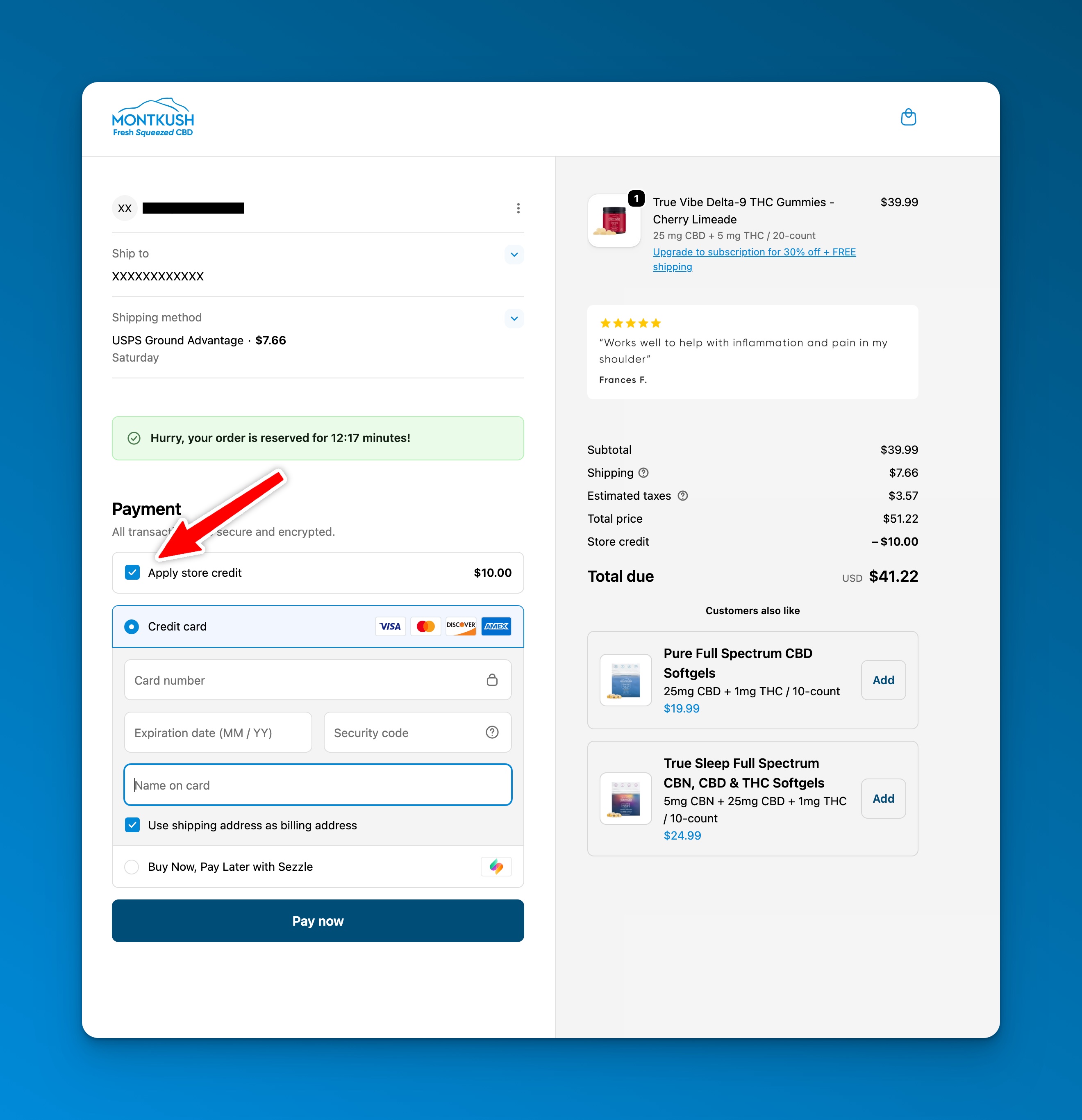
When you reach the payment method section, you’ll see a checkbox above the payment options labeled:
“Apply store credit”
✅ Check the box to apply your available store credit to your order total.
Desktop Example:
Mobile Example:
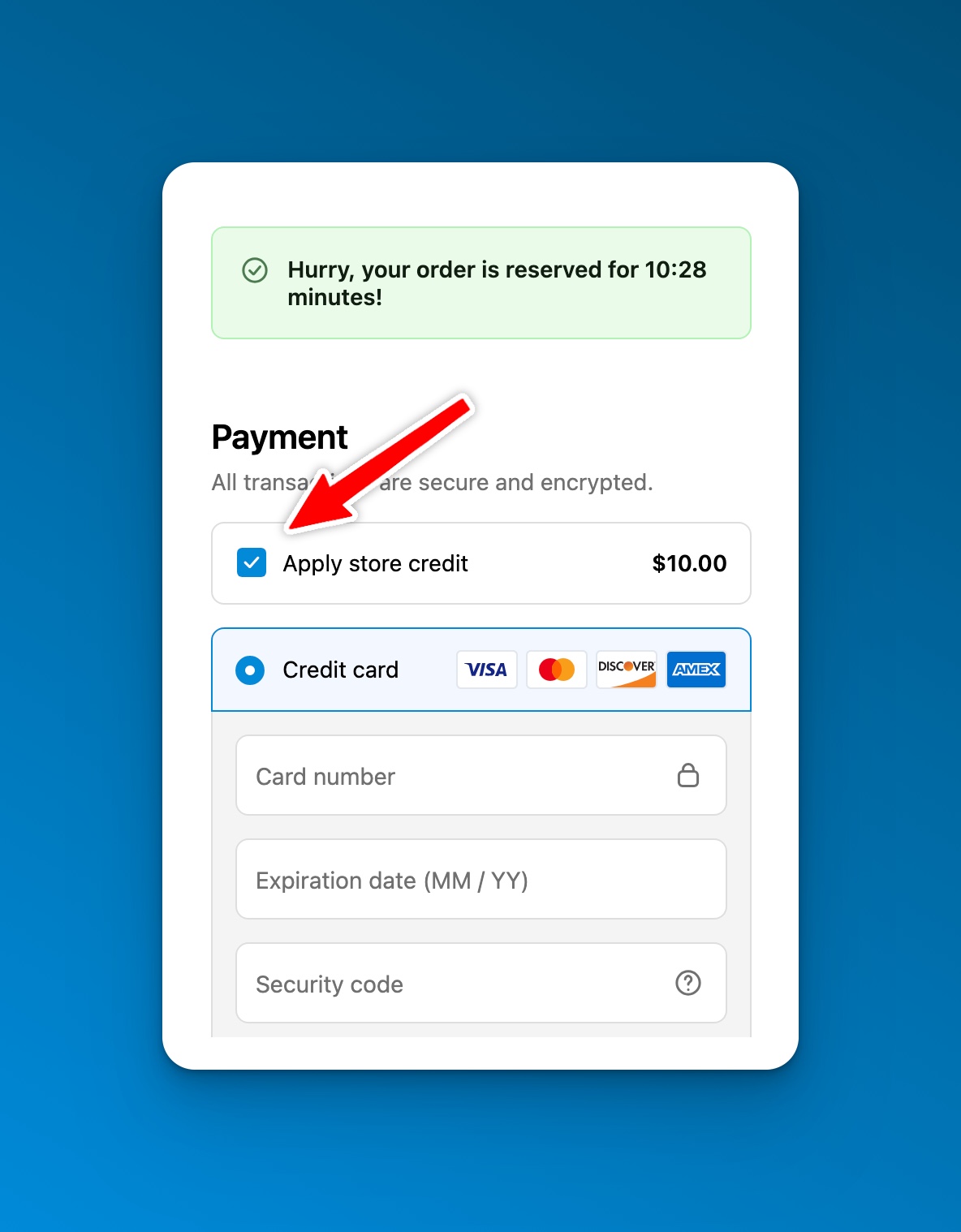
Your order total will automatically update to reflect the credit applied.
💬 Need Help?
If you’re having trouble using your store credit or don’t see the checkbox, reach out to our customer service team:
📧 [email protected]
We’ll be happy to help you get it sorted out quickly.